
About the Planner
Updated 2 months ago
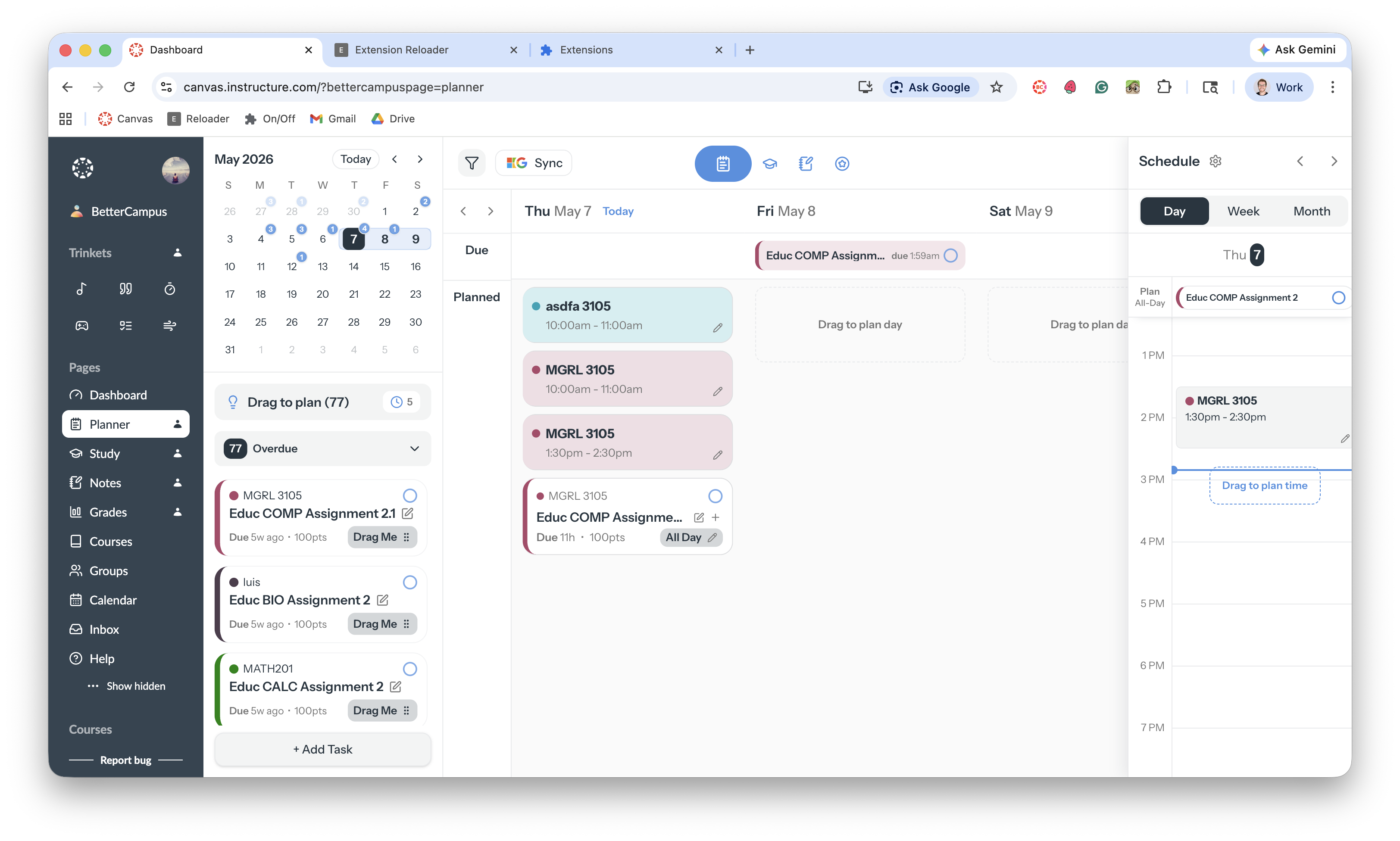
The Planner shows every upcoming assignment, discussion, and to-do from all your classes in one place, so you never miss a deadline.
Open it by clicking Planner in the BetterCampus sidebar. Your items are grouped by date and class, and you can switch between Day, Week, and Month views. Collapse the task list to focus on your calendar — BetterCampus remembers which way you left it.
Free vs Pro
Feature | Free | Pro |
|---|---|---|
See all your assignments | ✓ | ✓ |
Day, week, and month views | ✓ | ✓ |
Filter by class | ✓ | ✓ |
Add your own tasks | ✓ | ✓ |
Drag tasks onto a day | ✓ | ✓ |
Class schedules | ✓ | ✓ |
Plan work at a specific time | ✓ | |
More than one work session per task | ✓ | |
Calendar sync | ✓ |
What you can do
Schedule tasks — drag tasks onto your calendar to plan when you'll do them
Add personal tasks — add to-dos that aren't from your classes
Sync your calendar — connect Google or Outlook (Pro)
Set your class schedule — block out class times so you don't double-book
If your Planner is empty or out of date, see My planner isn't syncing.
Celebrations
When you finish a task, BetterCampus plays a short animation. Pick confetti, fireworks, stars, hearts, sparkle, or turn it off in your celebration settings.